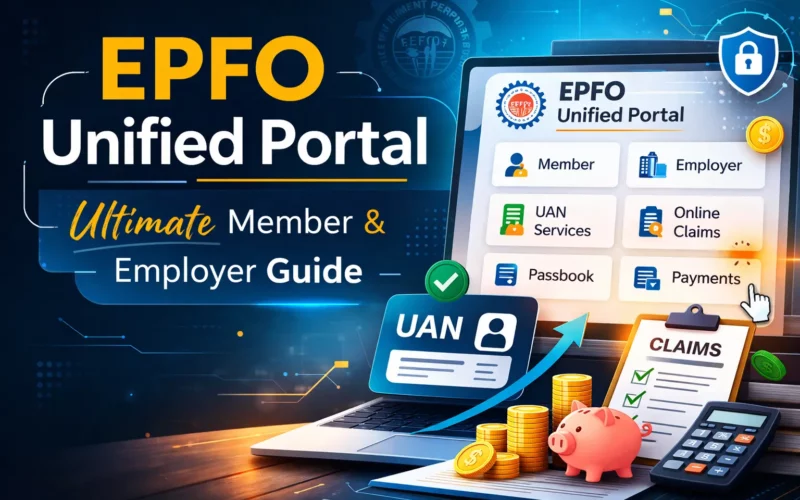
The employees provident fund organization has recently launched EPFO unified portal, centralized digital platform to deliver provident fund and pension related services, to enhance transparency efficiency and accessibility. The organization works under the ministry of labour and employment, Government of India administers one of the largest social security programs. This portal offers multiple services including a single online interface. It allows stakeholders to manage employee provident funds, employees pension schemes and employees deposit linked insurance scheme services efficiently. The portal operates through three primary interfaces. Member portal, employer portal and pensioner portal. The system is built to reduce paperwork. It also eliminates physical visits to the office and improves the speed of the claim process.
EPFO Unified Portal Login Process
Are you an employee or an employer, you can access the EPFO portal by login to your EPFO account. Here are the step by step instructions you should follow to access the EPFO account:
Member Login Process
The member dashboard will provide you your account details, claims, passbook access, and KYC status. You need to access the login page to reach the dashboard. Before initiating the access to the portal you need to be sure that your UAN number is Activated, you have the Registered mobile number and Aadhaar linked with the account (for seamless claim settlement). To access as a member (employee) you should open the EPFO Unified member portal and then go with these steps:
- To access the portal you need your UAN number. First enter the number.
- Enter the password of your account.
- Specify the captcha code displaying on the screen.
- Click “Sign In.” option after entering the details.
While entering the information be very careful as a single error can lead to failure of access. Enter the number and password very carefully.
Employer Login Process
The employer dashboard provides access to ECR filing, employee management, and compliance records. If you are interested to have the access to the dashboard then go with these steps:
- You should open the EPFO Unified employer portal.
- To access the portal you need your Establishment ID number. First enter the number.
- Enter the password of your account.
- Specify the captcha code displaying on the screen.
- Click “Sign In.” option after entering the details.
Key Objectives Of The EPFO Unified Portal
The key objectives of this portal has been mentioned here which will help you understand why the authorities has made this portal:
- Digitization of provident fund services
- Transparency in fund contributions and settlements
- Faster claim processing
- Real-time access to account information
- Simplified compliance procedures for employers
- Reduction of manual documentation
Services Available On The Portal
| Employees (Members) | Employers |
Universal Account Number (UAN) Services
| Establishment Registration
|
EPF Balance and Passbook
| Electronic Challan-cum-Return (ECR) Filing
|
Online Claim Submission
| Employee Account Management
|
Claim Status Tracking
| Claim Verification and Approval
|
KYC Management
| Digital Signature Integration
|
Grievance Redressal
| Compliance Monitoring
|
Profile and Nomination Updates
|
Benefits of the EPFO Unified Portal
- Operational Efficiency
- Transparency
- Reduced Physical Interface
- Faster Claim Settlement
- Centralized Data Management
FAQ’s
What is the EPFO Unified Portal?
An online platform for EPF services.
Who manages the EPFO Unified Portal?
Employees’ Provident Fund Organisation.
What is UAN?
A unique EPF member identification number.
Can employees check PF balance online?
Yes, through the Member Portal.
Can employers file PF returns online?
Yes, via the Employer Portal.